This is the product. Use these pictures.
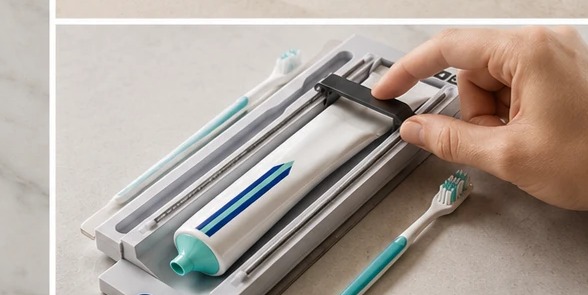
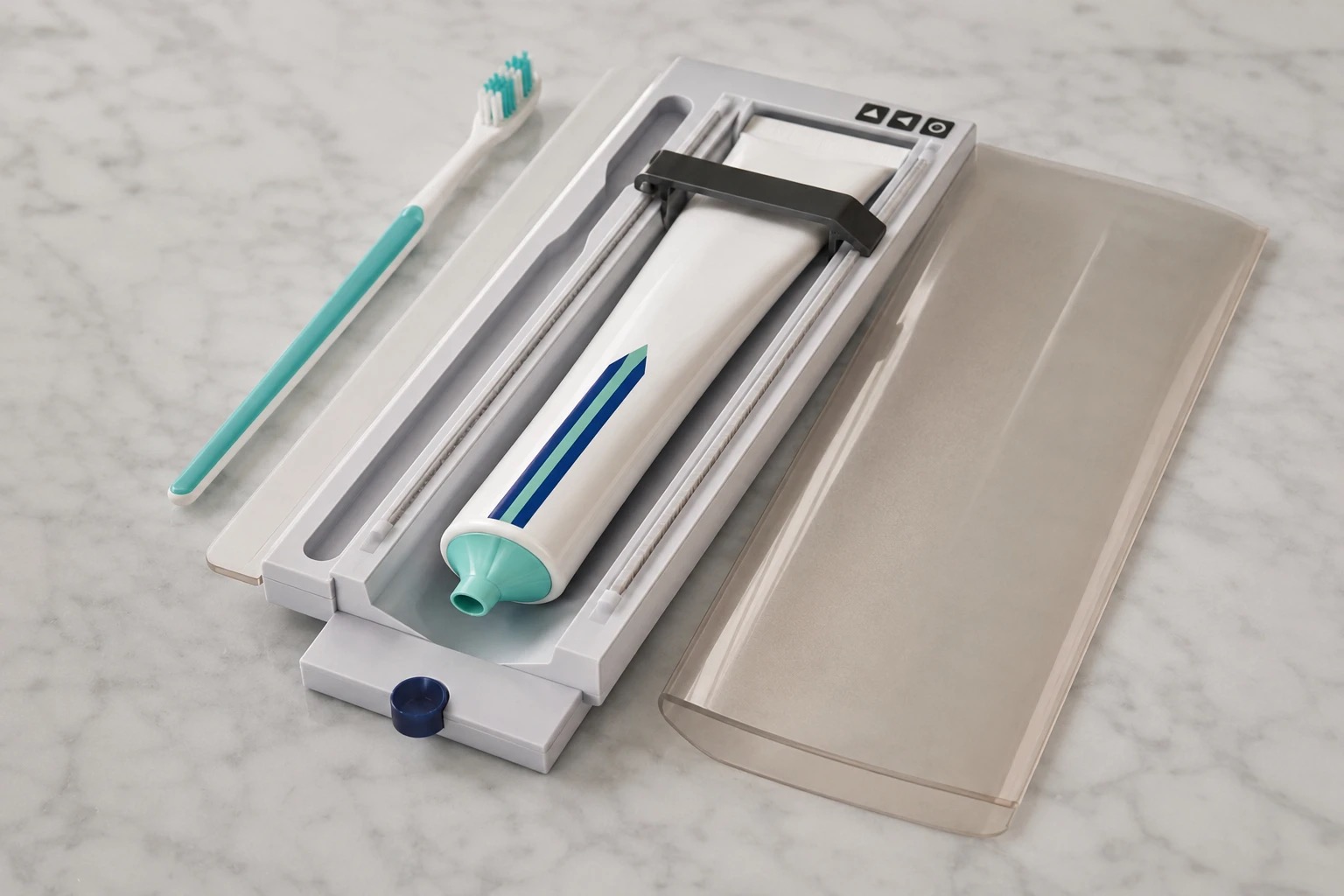
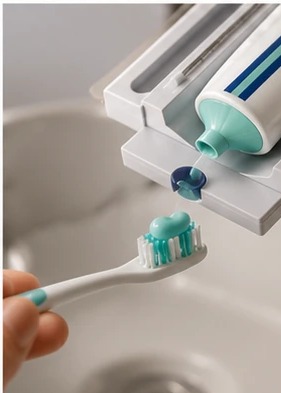
Keep the same: the small clean white holder with the toothbrush and toothpaste inside, the button on the front that dispenses the paste, and the suction cup on the back that sticks to the mirror. You can change: the bathroom, the mirror, the counter, the light, the person, and what is around it.
Show it on the mirror. Pearl sticks right on the bathroom mirror with its suction cup. That is what makes it special. Show it stuck to the mirror in most photos.
The look must be a real, clean home bathroom. A pretty bathroom mirror, soft morning light, a clean counter, maybe a plant or a folded towel. Never a hotel. Never a dentist office. Never harsh light.
If a person is in the picture: a calm, happy morning moment. A woman brushing her teeth, a kid pressing the button, hands reaching for the brush. Never messy, never rushed.
1
Make the photos in ChatGPT
- Save the picture above to your computer.
- Open ChatGPT and upload it.
- Paste the text below. Change the last line using an idea from Step 2.
- If it looks right, save it. If not, ask ChatGPT to try again.
This is the Pearl product (see the picture).
It is a small clean white holder that holds a toothbrush and toothpaste together. It has a button on the front that dispenses a clean line of toothpaste with one easy pull. It has a suction cup on the back that sticks right on a bathroom mirror.
Make a new, real photo of this exact product.
Keep the small clean white holder, the toothbrush and toothpaste inside, the button on the front, and the suction cup on the back the same.
The setting is a real, clean home bathroom. A pretty bathroom mirror, soft morning light, a clean counter, maybe a plant or a folded towel. Never a hotel, never a dentist office, never harsh light.
If a person is in the photo, the person is calm and happy, in a nice morning moment. Never messy, never rushed.
Now make this: Pearl stuck to a bathroom mirror, soft morning light coming through a window, a clean white counter below.
2
Pick any ideas you like
Aim for about 90 images total. For now, do more product-focused close-ups and less lifestyle until we lock the product look.
Product alone (clean background)
- studio shot on a white marble counter
- close-up of the button being pressed
- close-up of the suction cup on the back
- a clean line of toothpaste on a brush
- the case opened, showing brush and paste inside
- the case closed, sealed and tidy
On the mirror (the key benefit)
- Pearl stuck to a bathroom mirror, morning light
- Pearl at eye level on the mirror, brush ready
- a hand reaching for the brush from the mirror
- a wide bathroom shot with Pearl on the mirror
In a beautiful home bathroom
- a clean modern bathroom, natural light
- a warm bathroom with wood and stone
- a small bathroom counter with a plant and Pearl
- a folded white towel and Pearl on the counter
With a calm person
- a woman brushing her teeth, Pearl on the mirror
- a child pressing the button, happy
- an older adult reaching for the brush, easy access
- hands using the button, clean line of paste
- NEVER messy, NEVER rushed
Travel and go-anywhere
- Pearl in an open travel bag, sealed and tidy
- a hand placing Pearl into a suitcase pocket
- Pearl on a hotel-style mirror (small, clean)
Square (for Instagram)
- Pearl centered on the mirror
- close-up of the button, clean line of paste below
- a calm morning-routine moment
- the case open, brush and paste inside
3
Send them to Sergio
- Put all the images in a Google Drive folder. Name it Pearl Images.
- Get the share link for that folder.
- Email the link to Sergio.
sergio@ameriasiaworks.com
Subject:
Pearl Images
That is it. One email with the Google Drive link. Done.
Size: make images large and clear. Wide shape for most, square for the Instagram ones. • Names: just call them pearl-01, pearl-02, and so on.